Cookie Categories
Understand Necessary, Preferences, Analytics, Marketing, and Unclassified—and how they map to your banner.
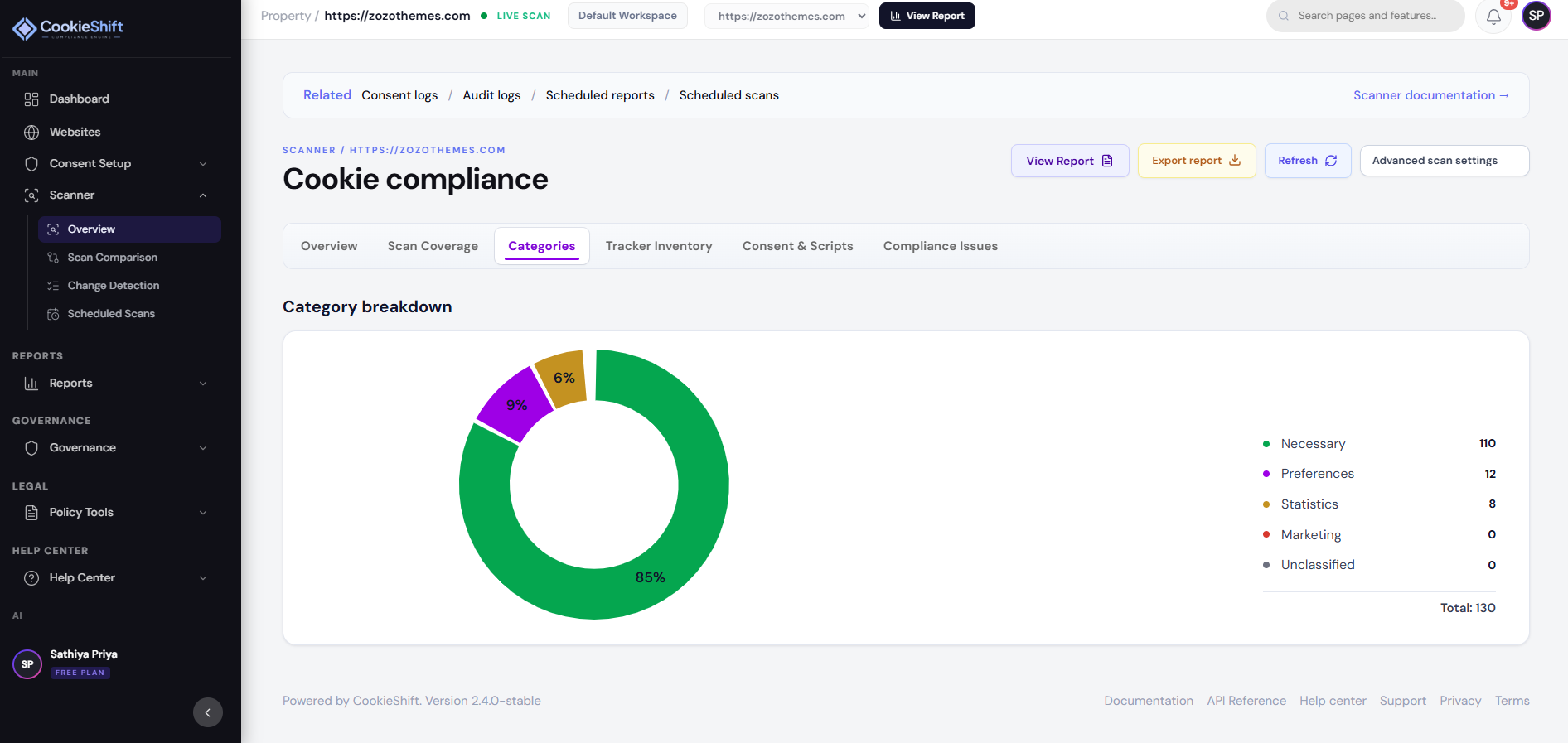
CookieShift organizes trackers into consent categories visitors recognize in your preference center. Correct classification is essential for accurate consent and compliance reporting.
Standard categories
| Category | Purpose | Typical examples | Default consent |
|---|---|---|---|
| Necessary | Strictly required for site function | Session, security, load balancing, consent storage | Always on (cannot be disabled) |
| Preferences | Remember choices and settings | Language, region, UI state | Opt-in (GDPR) / varies by regime |
| Analytics | Measure traffic and performance | Analytics pixels, RUM, heatmaps | Opt-in where required |
| Marketing | Ads, retargeting, attribution | Ad networks, social pixels, affiliate tags | Opt-in where required |
| Unclassified | Not yet reviewed | New tags from last crawl | Treated as high-risk until classified |
Where categories appear
- Consent Setup → Content — titles and descriptions per category
- Scanner → Tracker Inventory — classification per detected item
- Compliance reports — breakdown charts and issue rules
- Live banner — toggles in the preference center (except Necessary)
How classification works
| Source | When it applies |
|---|---|
| Automatic | Scanner + vendor database heuristics on crawl |
| Manual override | You change category in Tracker Inventory |
| AI classification | AI Assistant after a completed scan |
| Law template | Applying GDPR/CCPA templates in Consent Setup |
Overrides persist for that property until the next conflicting bulk import.
Editing category copy
In Consent Setup → Content:
- Title — short label (e.g. “Analytics”)
- Description — visitor-friendly HTML explaining the purpose
- Legal / helper text — optional extended disclosure in the preference panel
Match copy to your privacy policy—do not promise “no tracking” if analytics tags remain listed.
Category content checklist
Necessary
Explain security, fraud prevention, and consent cookie storage. Do not hide marketing tags here—regulators and users treat that as misleading.
Preferences
Cover language, currency, accessibility, and saved UI choices—not behavioral profiling.
Analytics
State what you measure (pages, events, errors) and whether data is aggregated. Name major tools if known from your scan.
Marketing
Disclose ads, remarketing, cross-site profiling, and social plugins that share data with platforms.
Unclassified
Use temporary copy: “We are reviewing these technologies.” Prioritize reclassification quickly.
Common mistakes
| Mistake | Why it hurts | Fix |
|---|---|---|
| All tags marked Necessary | Invalid under GDPR opt-in | Reclassify non-essential tags |
| Empty descriptions | Compliance issues flag in Scanner | Add HTML descriptions in Content tab |
| Policy contradicts banner | Legal exposure | Align policy page with category list |
| Ignoring Unclassified | Skews risk score | Override or AI-classify each item |
Related guides
- Consent Setup — visitor-facing UI
- Scanner — inventory and overrides
- GDPR Guide — opt-in expectations
- CCPA Guide — opt-out and Do Not Sell