GDPR Guide
Configure CookieShift for EU/UK GDPR-style opt-in consent—laws, categories, geo rules, and proof.
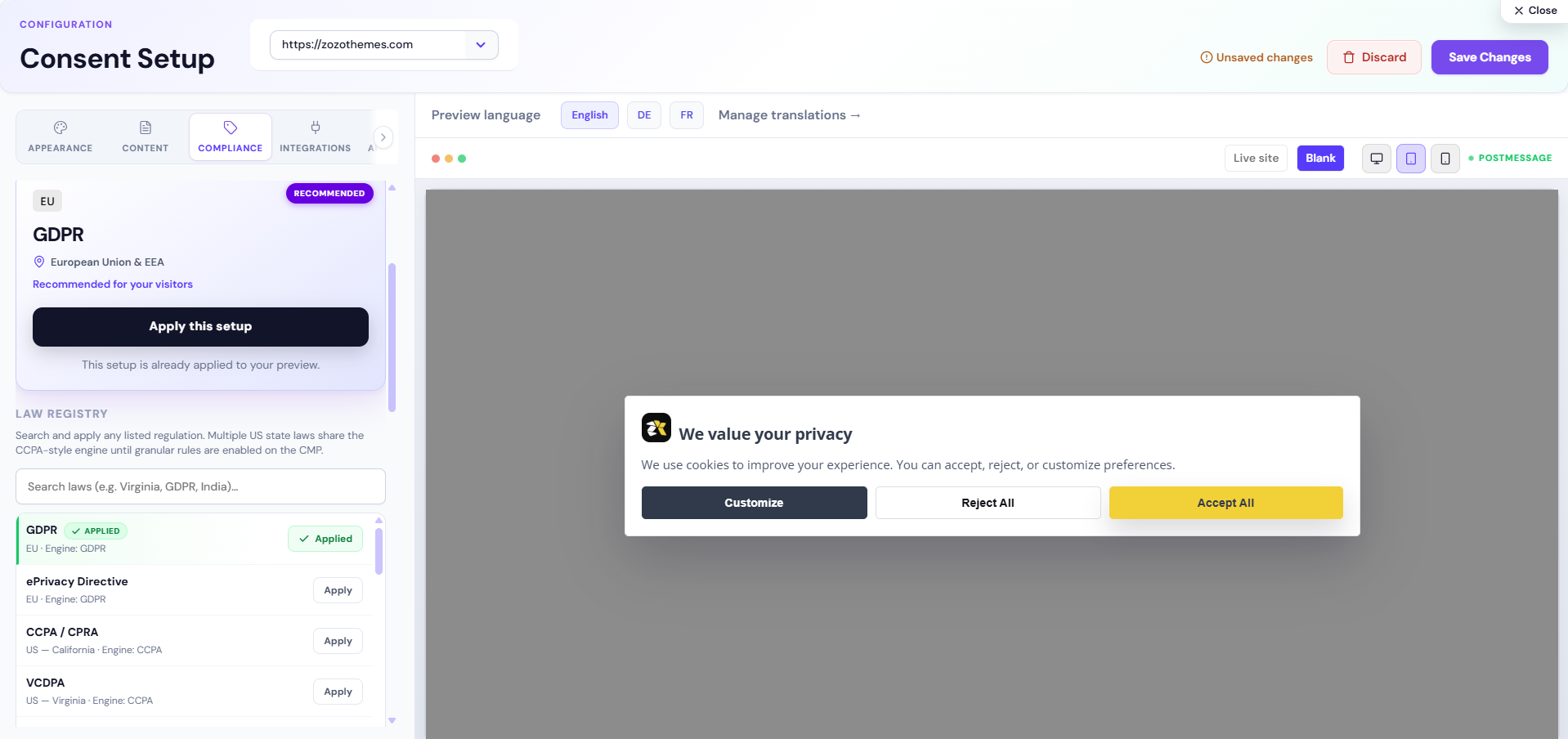
This guide explains how to use CookieShift for GDPR-style opt-in programs (EU, UK, EEA, and similar). It is educational—not legal advice.
What GDPR expects (simplified)
Visitors must generally consent before non-essential cookies and similar technologies run, with clear information and easy withdrawal. You need records of consent and policies that match what the banner says.
CookieShift helps with:
- Discovering trackers (Scanner)
- Presenting granular choices (Consent Setup)
- Storing consent signals (Consent logs)
- Demonstrating crawl-time inventory (Compliance reports)
Recommended CookieShift workflow
- 1Add property and install scriptRegister the domain under Websites. Install via Modules and confirm Connected.
- 2Run full scanComplete a crawl in Scanner. Review Tracker Inventory and clear Unclassified items.
- 3Apply GDPR law templateIn Consent Setup → Compliance, select GDPR or search the law registry and Apply. Review category copy in the Content tab.
- 4Configure strict prior consentEnable Strict mode (and related security options) so non-essential tags wait for consent where the runtime supports blocking.
- 5Set geo rules (optional)Add Geo → law rules if EU visitors should see GDPR while others see a different regime.
- 6Save, test, documentSave config. Test in private browsing. Export Compliance PDF and sample Consent logs for your records.
Key Consent Setup controls for GDPR
| Control | Location | Purpose |
|---|---|---|
| GDPR law | Compliance tab | Applies template defaults |
| Strict mode | Compliance → Security | Prior consent for non-essential |
| Button layout Accept + Reject + Customize | Appearance | Meaningful choice |
| Category descriptions | Content | Transparency per purpose |
| Consent renewal (days) | Compliance → Timing | Re-prompt after expiry (default often 180) |
| Hide banner on paths | Compliance → Timing | Suppress on app shells if configured |
Proof and documentation
| Artifact | Where to get it |
|---|---|
| Tracker inventory snapshot | Compliance export CSV/PDF |
| Issue remediation list | Scanner → Compliance Issues |
| Consent decisions | Consent logs / audit export |
| Config version | Shown in Consent & Scripts tab |
Retain exports with timestamps aligned to your audit period.
Regional differences inside Europe
Use Geo → law rules when:
- UK visitors need UK PECR-aware copy while EU visitors need GDPR framing
- You run a global site with EU-only strict mode
Test with VPN or the Implementation geo probe (engineering page) if available on your account.
FAQ
Is legitimate interest supported?
CookieShift focuses on consent UX and inventory. Legitimate interest assessments are legal determinations outside the product—document them in your policy; do not mark marketing tags as Necessary without counsel.
Do I need a cookie policy page?
You need accurate public information. Use AI Assistant policy draft only as a starting point—publish after legal review and link from the banner.
What about Google Consent Mode?
Configure supported analytics integrations in Consent Setup → Integrations so tags respect category choices where integrated.
Changing or withdrawing consent
When a visitor withdraws or changes categories, CookieShift updates consent immediately, blocks future non-essential loads for denied categories, and best-effort expires a known list of cookies—but does not unload already-running third-party scripts. See Post-withdraw script behavior.
Related
- Cookie Categories
- Consent Setup
- Consent Analytics
- CCPA Guide for US visitors