Scanner
Run crawls, manage tracker inventory, fix classifications, and resolve compliance issues.
Overview
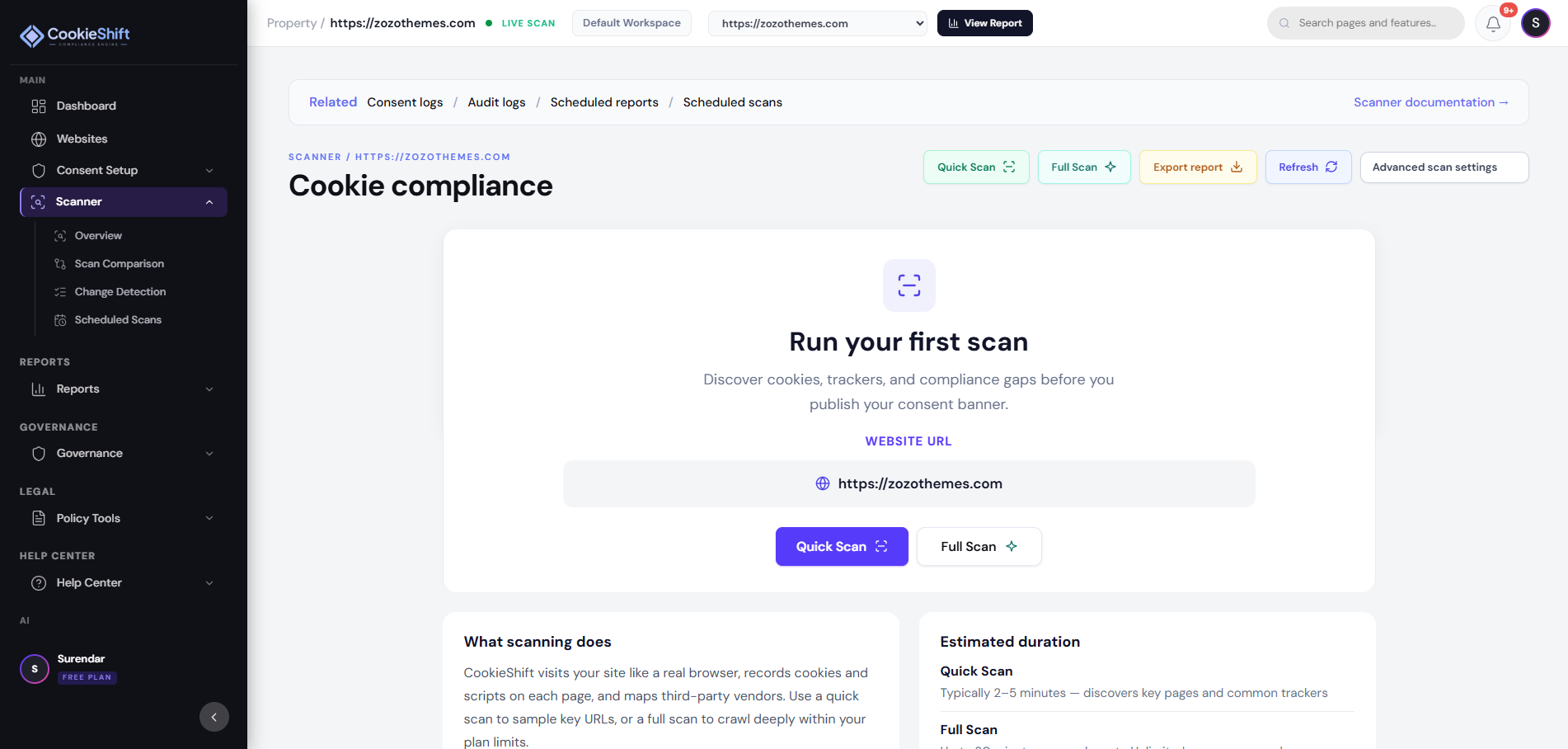
The Scanner visits your public website like a real browser. It finds cookies and third-party scripts, groups them into consent categories, and lists issues you should fix before (or after) you publish your banner.
You will use Scanner results in Consent Setup, Reports, and the AI Assistant. Most teams run a Quick Scan first, then a Full Scan once the site is ready.
When to use it
- Setting up CookieShift for the first time
- After you publish new tags in Google Tag Manager
- After a theme, plugin, or app change
- Before an audit or compliance review
Setup
- Select your website in the header.
- Open Scanner (also labeled Cookie compliance).
- Click Quick Scan for a faster sample, or Full Scan for a deeper crawl.
- Wait until the status shows Completed.
- Open Tracker Inventory and clear Unclassified items.
- Re-scan after major website or tag changes.
Examples
| Goal | Where to start |
|---|---|
| First audit of a new property | Full scan → Overview → Issues export |
| After GTM publish | Full scan → compare new domains in Overview |
| Legal evidence pack | Issues tab → PDF export + Compliance |
| Ongoing monitoring | Monitoring tab → schedule recurring scans |
Troubleshooting
| Symptom | Likely cause | Fix |
|---|---|---|
| Scan stuck Queued | Worker or Redis unavailable | Check Settings → System Health; retry later |
| Scan Failed | Site unreachable, auth wall, or timeout | Confirm URL is public HTTPS; reduce scope |
| Zero cookies found | Bot blocked or SPA-only load | Allow crawler user-agent; test homepage |
| Counts differ from DevTools | Crawler visits more URLs than you manually | Expected — use inventory as superset |
| Staging not scanned | Password-protected | Add staging as its own property if publicly reachable |
Best practices
- Scan after every major release, tag-manager publish, or new marketing app — at least monthly.
- Clear Unclassified items before exporting for legal review.
- Keep one property per registrable domain unless using Cross-domain consent.
- Pair scanner fixes with Consent Setup category copy updates.
Agency Shared Crawl Pool
On the Agency plan, scans do not burn pages from the shared pool each time they run. Instead:
- Your workspace has a Shared Monthly Crawl Pool (20,000 + optional +10,000 page packs).
- Each website receives a Monthly Crawl Allocation — reserved crawl capacity for that site.
- Every Quick / Full / Manual / Scheduled scan crawls up to that website’s allocation (and never more URLs than exist on the site).
- You may run scans unlimited times. Each run reuses the same allocation; it does not take another block of pages from the shared pool.
- When you add an Agency website, CookieShift first runs URL discovery with the same discovery engine the Scanner uses (no allocation required for discovery), then you can reserve pages from the shared pool (or configure later).
See Agency Shared Crawl Pool for allocation, coverage, and add-ons.
Detailed reference
What Scanner does
| Capability | Outcome |
|---|---|
| Crawl | Discovers cookies, scripts, and third-party requests on public pages |
| Classify | Assigns Necessary / Preferences / Analytics / Marketing / Unclassified |
| Score risk | Low, Moderate, Elevated based on gaps and unclassified share |
| Feed reports | Powers Compliance exports and dashboard KPIs |
Header actions
| Button | When to use |
|---|---|
| View Report | Open full persisted compliance report (needs report ID) |
| Run Scan / Run Full Scan | Start standard crawl |
| Stop Scan | Cancel in-progress crawl |
| Export report | CSV export of current inventory |
| Refresh | Reload data without new crawl |
Tabs
KPIs, charts, enterprise scan config, and scan history.
Overview tab
| Element | Meaning |
|---|---|
| Scan progress bar | Pages scanned vs target while running |
| Total cookies | Count from latest completed crawl |
| Active trackers | Script-like resources tracked |
| Elevated risk | Action-needed risk label |
| New domains / Removed | Delta vs previous scan |
| Insight banners | Unclassified %, risk narrative, last scan time |
| Category breakdown | Donut + legend |
| Scan history chart | Trend across crawls |
Enterprise scan configuration (when shown):
| Setting | Purpose |
|---|---|
| Max pages | Cap crawl size |
| Depth | Link depth limit |
| Time limit | Stop after N seconds |
| Workers | Parallelism |
| Auth mode | Crawl behind login (advanced) |
| Multi-variant preset | Crawl variants |
| Run enterprise scan | Execute with these params |
Scan history table: Date, pages, cookies, trackers, risk — View / per-row CSV.
Import last crawl: Appears when library empty but scan completed.
Categories tab
Pie chart + legend + total count—use for executive summaries.
Tracker Inventory tab
| Control | Behavior |
|---|---|
| Open AI Review Queue | → /ai-review |
| Chart / Table / Group by domain | Layout modes |
| Search + filters | Category, domain, risk |
| Sortable columns | Name, type, category, domain, risk, hits, source |
| Override category | Per-row select; persists for property |
| Explain / Valid / False positive | Script review workflow |
| AI explanation panel | Model reasoning when available |
Consent & Scripts tab
| Metric | Source |
|---|---|
| Config version | Published banner generation |
| Decisions recorded | Live consent count |
| Consent distribution donut | Visitor choices |
| Script behavior chart | Telemetry or heuristic |
| Summary cards | Accept / reject / customize %, quality, risk |
| Link | Consent logs for row-level export |
Compliance Issues tab
| Element | Purpose |
|---|---|
| Issues overview chart | Counts by issue type (heuristic) |
| Export PDF / CSV | Audit artifacts |
| Export history | Re-download past exports |
Deep link: ?tab=compliance-issues or Reports hub ?focus=issues.
Risk labels
| Label | Meaning | Typical action |
|---|---|---|
| Low | Few open gaps | Monitor monthly |
| Moderate | Some misclassified or missing copy | Fix inventory + Content |
| Elevated | Many unclassified or before-consent flags | Urgent review |
| In progress | Scan running | Wait |
| Attention | Last scan failed | Re-run scan |
Scan modes compared
| Mode | Best for | Notes |
|---|---|---|
| Standard Run Scan | Weekly hygiene | Default limits |
| Run Full Scan | Deep audit | More pages/time |
| Enterprise scan | Large sites, auth | Configure caps first |
| Re-scan from Websites | Same as Scanner entry | Per-row shortcut |
User journey: audit trackers
- Select property → Run Full Scan → wait for Completed.
- Overview — note Elevated risk and new domains.
- Inventory — filter Unclassified → override or AI classify.
- Issues — export PDF for legal.
- Consent Setup — align category copy.
- Re-scan → compare scores in Compliance.
FAQ
Why do counts differ from browser DevTools?
Crawler visits many URLs and may catch tags you never trigger manually.
Can I scan staging?
Add staging as its own property if it is publicly reachable; password-only staging may fail.
How often should I scan?
After every major release, tag manager publish, or new marketing app install—minimum monthly.