Reports
Access scan compliance exports, cookie summaries, consent logs, and scheduled deliveries from one hub.
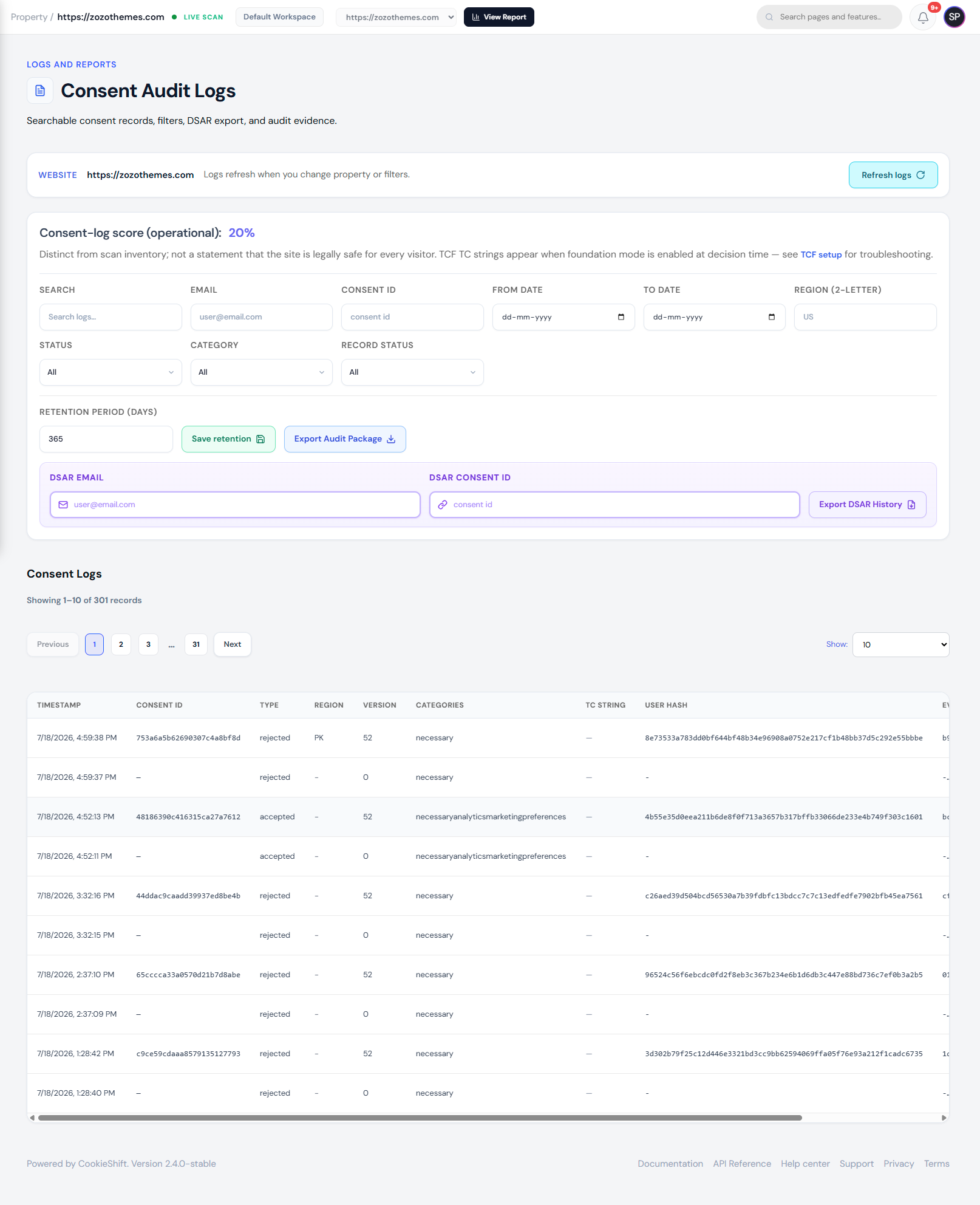
Reports centralizes audit and analytics surfaces beyond day-to-day editing: compliance exports, consent logs, audit trails, and scheduled email delivery.
Overview
From the Reports hub you open scan-based compliance reports, cookie inventory snapshots tied to the Scanner, row-level consent logs, workspace audit logs, and scheduled reports. Each view respects the property selected in the header.
Why it matters
Regulators and enterprise customers expect evidence: what trackers were detected, what visitors consented to, and who changed configuration. Reports turn live CMP and scanner data into exportable artifacts for legal, security, and support teams.
Setup
- Select the correct property in the header.
- Complete at least one Scanner run so compliance data exists.
- Open Reports from the sidebar.
- Choose the surface you need:
- Compliance reports — PDF/CSV from latest crawl
- Cookie compliance — same inventory as Scanner tabs
- Consent logs — visitor decisions with filters
- Scheduled reports — automated email delivery (see Scheduled reports)
- Export or bookmark deep links (
siteId,focus,tab) for recurring reviews.
Examples
| Question | Start here |
|---|---|
| What trackers exist on our site? | Cookie compliance / Scanner |
| Are tags firing before consent? | Scan compliance → before-consent preset |
| What did users accept yesterday? | Consent logs |
| What do we send to auditors? | Compliance PDF/CSV + consent log export |
| Who changed the banner last week? | Audit logs (workspace activity) |
Troubleshooting
| Symptom | Likely cause | Fix |
|---|---|---|
| Empty compliance export | No completed scan | Run Scanner → wait for Completed |
| Consent logs show no rows | Banner not live or no traffic | Verify Installation; test accept on site |
| Wrong property data | Header selector | Switch property and reload |
| Scheduled email missing | SMTP not configured | Settings → System Health → Email Delivery |
| Export blocked | Plan limit | Check Billing usage meters |
Best practices
- Scope every review to one property; duplicate exports per domain for multi-brand accounts.
- Export consent logs before regulatory deadlines and store with your DSR process.
- Pair compliance PDFs with Scanner issue remediation notes.
- Use scheduled reports for monthly stakeholder updates instead of manual exports.
Reports hub (reference)
The hub presents three primary entry points:
Scan compliance reports
Crawl-based tracker breakdown, risk levels, and CSV/PDF exports. Same data as the Compliance sidebar page.
→ Detailed guide: Compliance
Cookie compliance
Aggregated scanner snapshot per property: inventory tabs, risk overview, and compliance issues from the latest crawl.
→ Detailed guide: Scanner
Consent logs
Row-level record of visitor consent decisions for audits and support investigations.
→ Detailed guide: Consent analytics
Property scoping
Reports respect the selected property in the header. If numbers look empty, confirm you chose the right domain and that the banner or scan has produced data.
Deep links
URLs may include siteId, focus, or tab parameters—for example jumping straight to compliance issues in Scanner. Bookmark these for recurring reviews.
Related
- Dashboard — KPI summary
- Scheduled reports — email cadence
- Billing — export limits on your plan
- Team management — who can export logs